Overview
COMPLETE VISIBILITY TO MANAGE YOUR ENTIRE FLEET
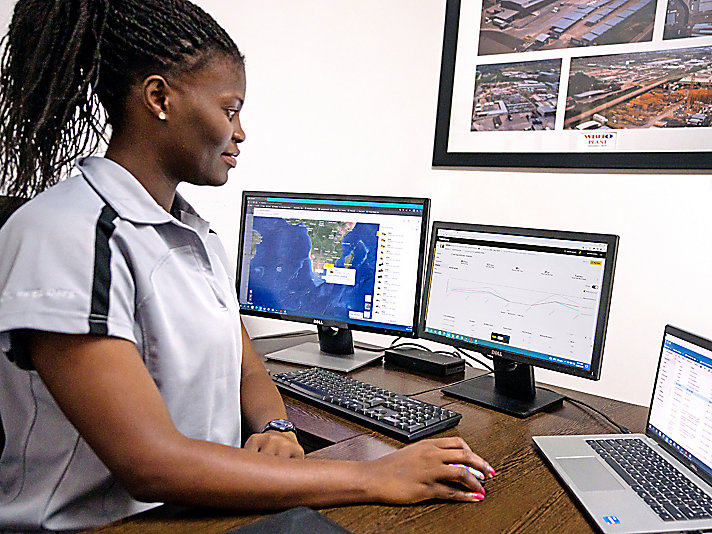
VisionLink™ is a cloud-based software application that takes the guesswork out of fleet management with key insights to maximize performance - regardless of fleet size or equipment manufacturer. Receive equipment data seamlessly to your desktop or mobile device, all from a convenient centralized solution to make informed decisions at every turn.
Benefits
MONITOR ENTIRE FLEET
Get actionable telematics data and manage mixed OEM fleets via one interface. Track location, operating hours, fuel levels, and overall utilization.
MAXIMIZE UPTIME
Monitor equipment health, fault codes, fluid analysis, and inspection due dates. Reduce unplanned downtime with critical alerts. Order parts and schedule service within the platform.
OPTIMIZE UTILIZATION
Manage assets by projects, groups, or geofences. Set utilization targets and monitor performance. Make informed, data-based decisions to reduce operating costs.
Features At A Glance
- Get actionable data insights for all assets - regardless of fleet size or equipment manufacturer.*
- Mixed-fleet management capable with API integration or by using Cat Product Link™ devices on equipment from other manufacturers.
- Organize fleet data to view it efficiently and how you want to see it.
- Monitor owned, rented, or leased assets.
- Simplify large fleet management by creating geofences, groups and projects.
- Seamlessly view assets across all devices: desktop, tablet and mobile phone.
- Customizable dashboards provide information such as hours, miles, location with mapping, idle time, asset status, asset operation and fuel utilization.
- View work tool attachment locations across multiple worksites and measure working hours to predict the need for tool maintenance.
- Full functionality across all devices: desktop, tablet and mobile phone.
- Download or schedule email reports (CSV, XLSX, JSON, XML formats).
* Data field availability can vary by equipment manufacturer.
- Health view provides a summary view of the entire fleet and is divided into three sections - fault codes, fluid analysis, and inspections.
- View details for each asset's upcoming intervals, including service details, checklists, and parts lists.
- Reduce unplanned downtime with critical alerts.
- Help identify necessary preventive maintenance services required.
- Review detailed inspection reports for assets with direct imports from the Cat Inspect app.
- Maintenance history provides details for each asset's completed services, including when the service was completed and who performed the work, in descending chronological order.
- Assign tasks to complete pending issues and manage project assignments.
- Order parts with direct integration with parts.cat.com
- Schedule service directly within the platform from a local Cat Dealer.
- Download or schedule email reports (CSV, XLSX, JSON, XML formats).
- Make informed, data-based decisions to reduce operating costs.
- View idle time percentages, runtime hours, and other metrics related to machine performance.
- Historical view provides running hours for a group of assets - used to identify excessive idling, long periods of inactivity, and unauthorized usage.
- Utilization view gives an overview of how efficiently assets and fuel are used in a specific date range.
- See the locations and events for a particular asset on a map.
- Set utilization targets and monitor performance.
- Organize fleets by creating projects, groups, or geofences.
- Visual data in chart and table formats to identifying trends, outliers, and patterns in productivity and performance.
- Easily manage asset settings, users, reports, notifications, groups, and projects.
- Create geofences to replicate jobsites or other types of locations.
- Create, edit and manage notifications (email, in-app, text) - multiple notifications can be selected to perform an action and send to multiple users.
- Create user accounts, assign permissions to applications based on user roles, set preferences, and edit/delete existing user accounts.
- Merge data from existing OEM or third-party telematics providers using API feeds for mixed-fleet integration - supports ISO (AEMP 2.0) standards.
- Cat Inspect
- Cat S∙O∙S (Fluid Analysis Service)
- Cat SIS2 and SIS2GO app (Service Information System)
- Cat Parts Store (parts.cat.com)
- More future technology integrations are planned
- Contact Your Cat Dealer - To ensure successful integration of VisionLink, consult with your Cat dealer during the setup process.
- Connect Your Assets - For new Cat equipment, activate the built-in hardware. For older Cat assets and other OEM brands, install Product Link™ devices or integrate data from existing OEM or third-party telematics providers using APIs.
- Choose a Subscription - Obtain a VisionLink subscription (per machine). Your Cat Dealer can help determine the best subscription to fit your business needs.
- Implement Change Management - Utilize data-driven insights by educating users on the platform and implementing change management.
See how VisionLink™ compares against frequently compared products.
assignment Product Brochures and More Are Ready to Download!
Caterpillar product brochures and other informational documents are available for your growing business.
Media Gallery
Photos
Videos
VisionLink™
VisionLink™ - Streamline Fleet Maintenance
VisionLink™ - Increase Fleet Productivity
VisionLink™ - Easy to Manage
VisionLink™ - Complete Visibility to Manage Your Entire Fleet
VisionLink™ Testimonial | Guho Corp
VisionLink™ Testimonial | WBHO South Africa
VisionLink™ Testimonial | Blattner Energy
VisionLink™ Testimonial | Duininck Construction
Technology For Snow Operations: VisionLink™