
Cat® Remote Flash

Equipment Management Cat® Remote Flash

Request A Price Find Dealer

Overview

Maximize Uptime with Remote Software Updates

Remote Flash sends an alert from your Cat dealer, prompting you to update the software on your machine. To minimize downtime, updates can be deployed while on the jobsite without having to wait for a dealer technician to arrive. Remote flash decreases maintenance time and keeps your asset running with maximum efficiency.

Benefits

Optimize Performance

Receive the latest software updates as soon as they are released to optimize equipment performance and productivity and decrease software and data-quality issues by 10%.

Reduce Downtime

Reduce time taken for updating machine software by allowing updates to be performed when convenient to the site operation, and minimize machine faults due to software and firmware issues.

Reduce Service Time

Receive immediate benefits of new software while on the jobsite and reduce machine service time by eliminating the wait for a dealer technician to arrive to perform updates.

Features At A Glance

Remote Flash

Remote Flash

Remote Flash* ensures your machines are always operating at their optimum performance levels, resulting in maximum efficiency with minimum downtime.

Benefits:
  • Reduce time taken for updating machine software by as much as 50%
  • Potentially eliminate the wait for a dealer technician to arrive on site
  • Ensures the benefits of software updates are gained as soon as possible, without the machine leaving the jobsite
  • Updates can be installed when convenient to the operation
  • Improved jobsite efficiency, saving you time and money
* Caterpillar rolls out products and services in each of its territories at different time intervals. Although every effort is made to ensure that product information is released only after Caterpillar has received confirmation from our dealer network, our plants, and our marketing subsidiaries that products and services are available in the relevant region, please verify with your local dealer for product availability and specifications.
How does Remote Flash work?

How does Remote Flash work?

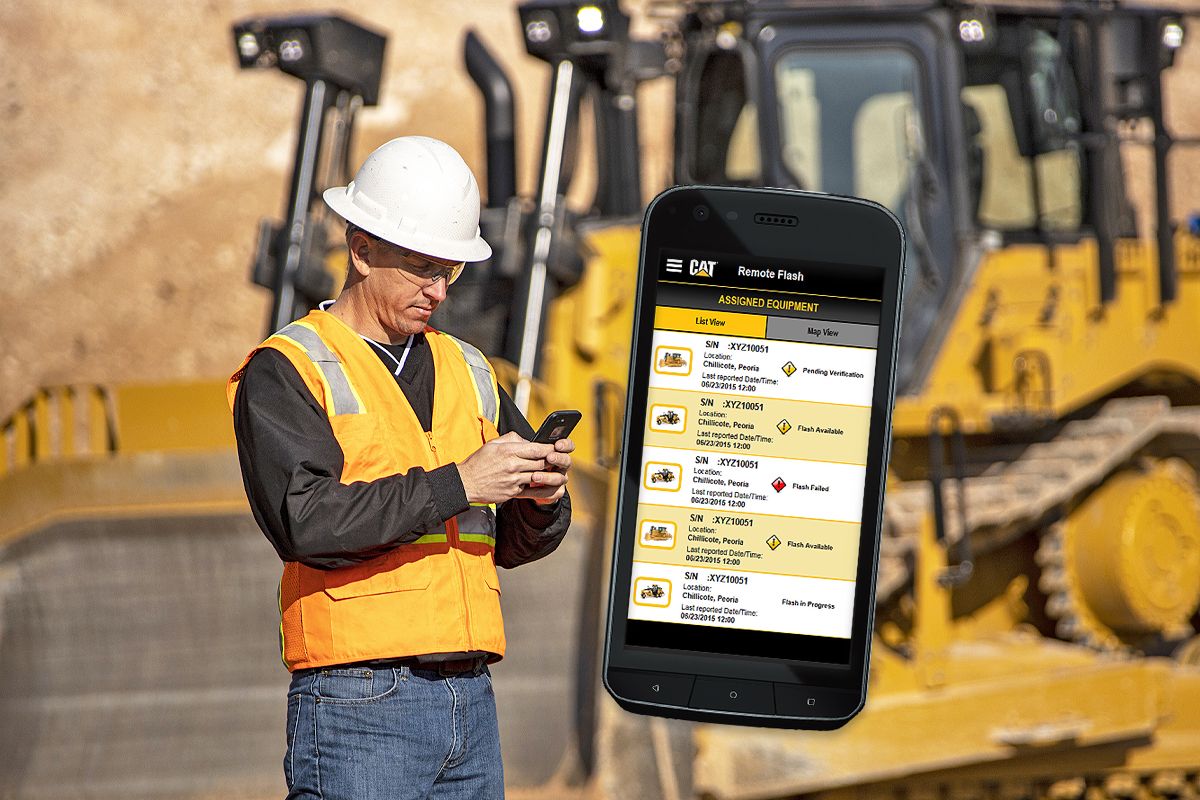
When an eligible asset with the latest telematics hardware requires a software update, your Cat dealer will push available flash files to targeted machines. Next, an authorized user (customer employee or dealer representative) will perform the following steps on their mobile device:
  1. Confirm the asset is ready to begin flash
  2. Initiate the flash
  3. Confirm post-flash performance

See how Cat® Remote Flash compares against frequently compared products.

Product Brochures and More Are Ready to Download!

Media Gallery

Cat Remote Flash

Cat Remote Flash

Introducing Cat Remote Services

Introducing Cat Remote Services