
Easy Compact Track Loader Battery Replacement Checklist
Estimated read time: 3 minutes
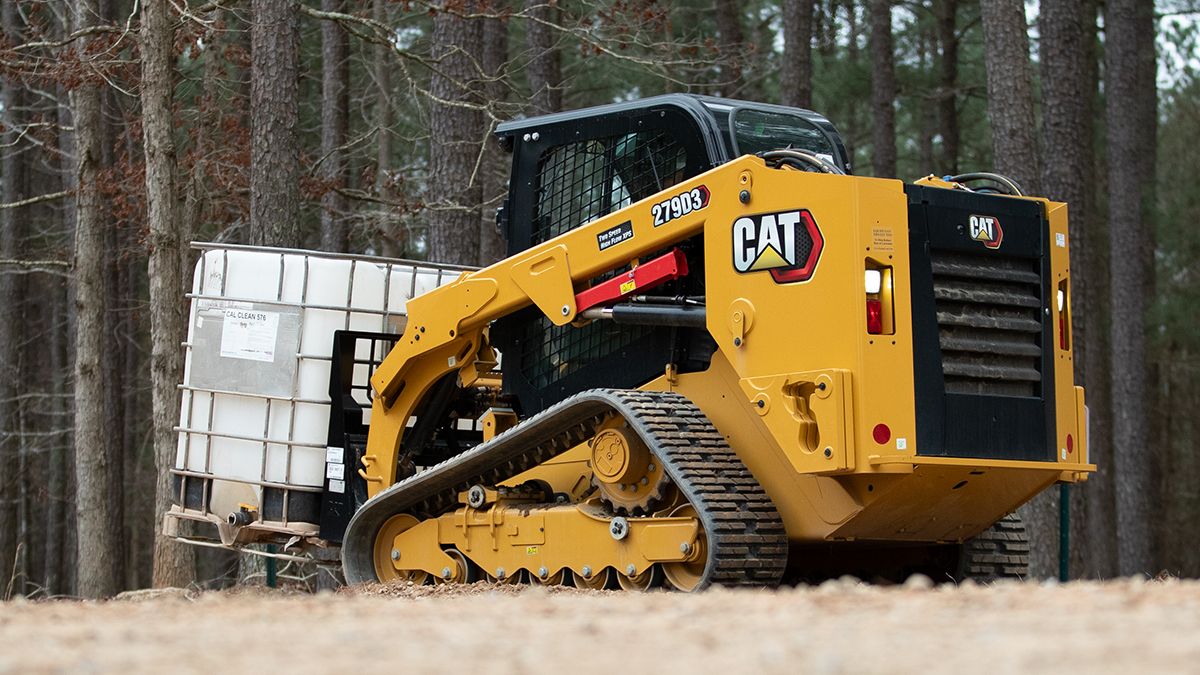
This Self-Service Options (SSO) Cat® compact track loader battery maintenance checklist is great for learning how to replace the battery and avoid additional downtime. Make sure to review all safety warnings and get your work area ready before starting.
SSOs provide detailed service instructions, recommended parts and tooling so that you can equip yourself to take care of repairs. Remember to take your time and be safe.
Watch this video to see how to change out a Cat 279 battery:
This Cat compact track loader battery maintenance checklist shows how straightforward this do-it-yourself repair can be. It doesn’t require specialized tools or extensive mechanical experience.
Skill Level: Easy
For the 279, you need a Cat 12-volt battery, maintenance free, wet.
No specialized tools are required to perform this Cat compact track loader repair. Other parts and tools may be required depending on your machine. Learn more about what your equipment needs here.
Before You Begin
- Put on your personal protective equipment (PPE).
- Read the steps below.
- Take a break or pause if you need time to catch up.
- Remember: safety first.
Note: If you need to tilt the cab, refer to your Operation and Maintenance Manual (OMM) for instructions.
How to Remove the Battery
- Remove the negative battery cable.
- Disconnect the positive battery cable.
- Remove the bracket.
- Carefully remove the battery, which weighs approximately 50 pounds (23 kg).
Install the New Battery
Install the battery in reverse order of removal, starting with step No. 4 above:
- Carefully place the new battery.
- Reinstall the bracket.
- Connect the positive battery cable.
- Connect the negative battery cable.
- Tighten the cables to a torque of 7 ± 2 N·m (62 ± 18 lb.-in).
And that’s it! You’ve completed the steps on how to replace a compact track loader battery.
Find all the Self-Service Options you need. Enter your equipment’s serial number to view parts and step-by-step instructions specific to your machine.
Your Business
 North America – English
Caterpillar Brands
- Caterpillar.com
- Contact Us
- My Marketing Preferences
- Site Map
- Cookie Settings
- Legal
- Privacy
- Do Not Sell or Share My Personal Information
- Accessibility Statement
- US-English
- © 2026 Caterpillar. All Rights Reserved.